FADE OUT A SONG
Fade out a song online: a clean ending for any track
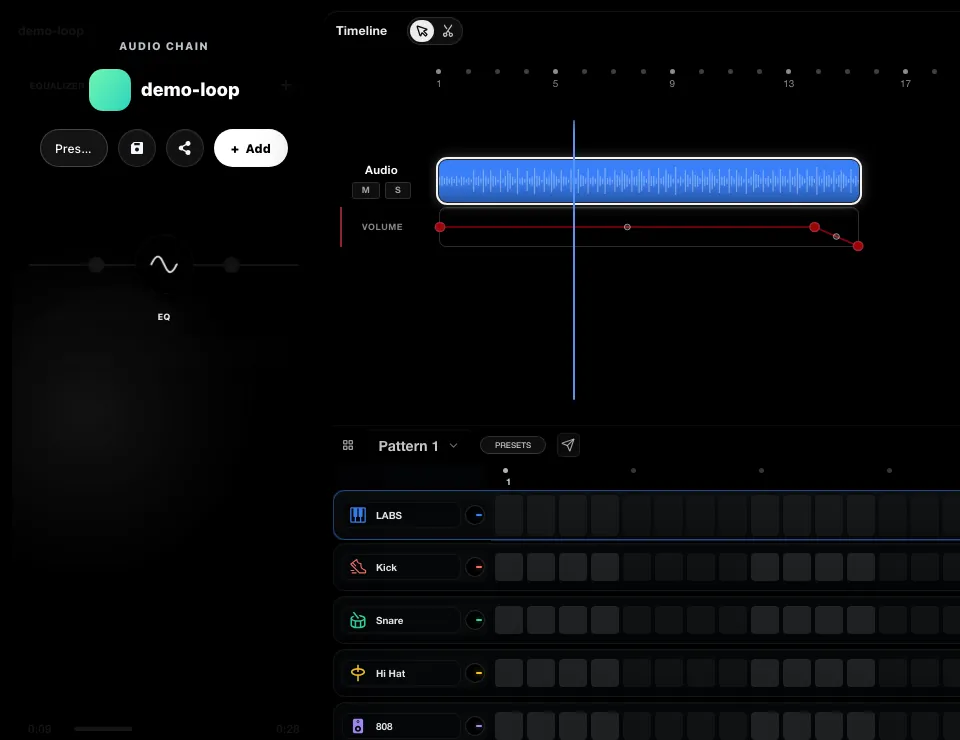
To fade out a song, the volume drops gradually until the audio reaches silence. Freestyle applies a three-second fade out to your song in the browser, so you can hear the ending before you export it.
Fade out your songFree to start. Every new account includes a 14-day Pro trial.
- 01Upload the song
- 02The fade is on the lane
- 03Listen to the ending and export
Endings for demos, clips and loops
A fade out suits a demo that has no natural ending. It also suits a clip cut from a longer song. A soft tail replaces an abrupt stop.
- A demo sent to a friend or a label
- A short clip cut from a full song
- A sketch that stops in the middle of a phrase
- A loop used as background music
Questions
How do I fade out a song online?
Upload the song with the button. The Fade out effect is applied when the studio opens. Play the ending, then export a WAV.
How long is the default fade?
The default fade is three seconds, ending in silence.
Can I change when the fade starts?
Yes. Edit the fade in the automation lane, so the ending can start earlier or later.
Does the fade cover the whole song?
It applies to the clip it sits on. Other lanes keep their own effects, so check each lane you have.
Is fade out part of Pro?
Effect templates are part of Pro. Every new account starts with a 14-day Pro trial.