FADE IN A SONG
Fade in a song online: a smooth start for any track
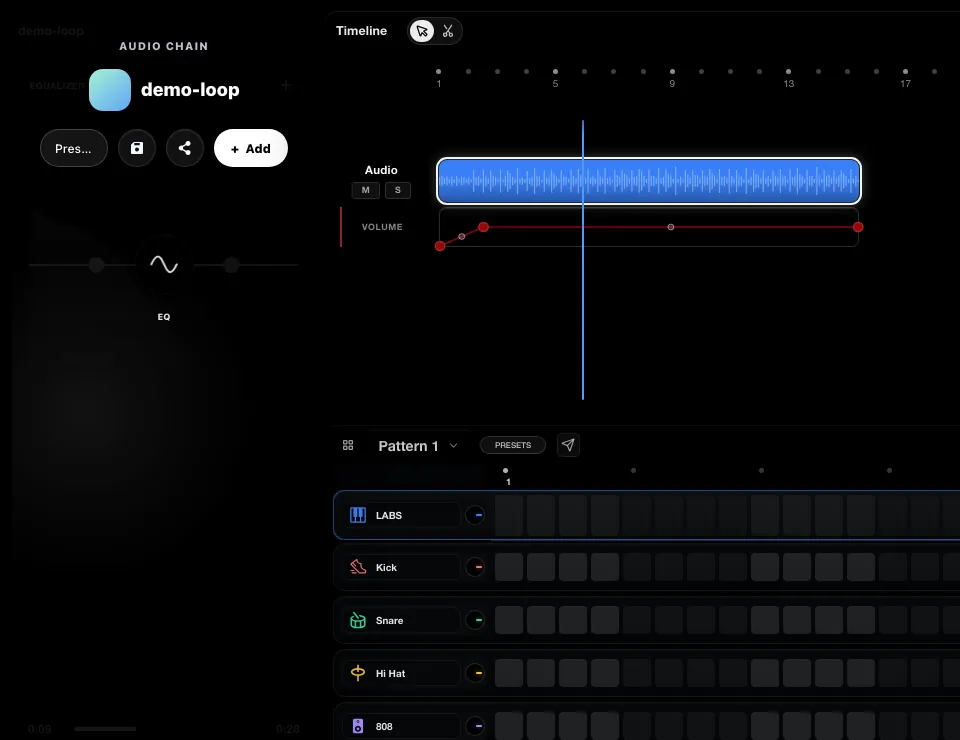
To fade in a song, you start the audio at silence and raise the volume over a few seconds. Freestyle applies a three-second fade in to your song in the browser, so you can hear the entrance before you export.
Fade in your songFree to start. Every new account includes a 14-day Pro trial.
- 01Upload your song
- 02The studio opens with the fade
- 03Play the intro and export
Where a fade in helps a song
A fade in helps when a song starts too hard for what comes before it. It might follow a spoken line, a video or another track. The first seconds ease in instead of hitting the listener.
- A track that opens on a sharp drum hit
- A song that sits under a spoken intro
- A video or podcast bed that should rise gently
- A loop cut from the middle of a longer recording
Questions
How do I fade in a song online?
Upload the song with the button. The studio opens with the Fade in effect already on the lane. Play it, then export a WAV.
Can I change how long the fade lasts?
Yes. The fade sits in the automation lane, so you can edit it after the studio opens.
Does the fade change the whole song?
No. The fade covers the start of the clip. The rest of the song keeps its normal level.
Can I fade in a song on my phone?
Yes. Freestyle runs in mobile browsers, so you can upload a song and apply the fade from a phone.
Is the Fade in effect free?
Effect templates are part of Pro. Every new account starts with a 14-day Pro trial, and the free plan keeps recording vocals over a backing track.