FADE OUT A SONG IN YOUR BROWSER
Fade out music online
To fade out music, the volume slowly drops to silence over the last few seconds of a song. Freestyle does this in your browser with the Fade out template, so you can hear the ending before you export it.
Fade out a songFree to start. Every new account includes a 14-day Pro trial.
- 01Pick your file
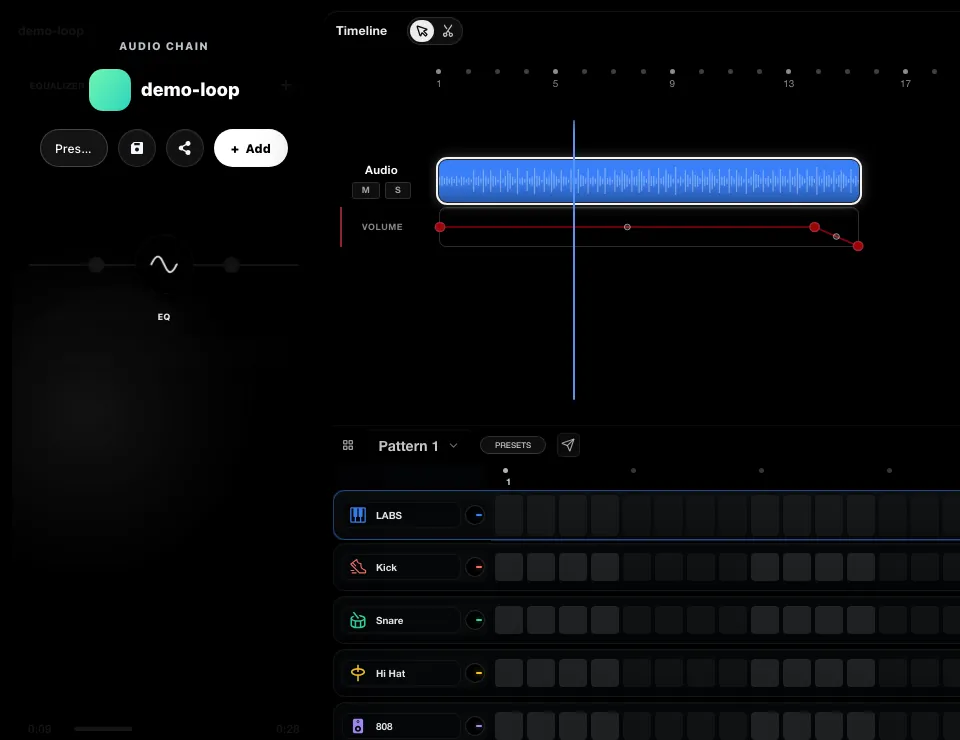
- 02The studio opens with it and the effect applied
- 03Adjust and export
What a fade out does
A fade out lowers the volume of a clip gradually, so it ends in silence instead of stopping abruptly. Listeners hear the song leave rather than cut off.
Questions
How do I fade out music?
Pick your song with the button, let the studio open with the Fade out effect applied, then play the ending and export the result as a WAV.
How long is the fade out?
The Fade out template uses a smooth three-second fade down to silence. You can change the fade in the automation lane.
Can I edit the fade after I apply it?
Yes. The effect stays editable in the automation lane, so you can move the fade and listen again before you export.
Is fade out part of the free plan?
Effect templates are part of Pro. Every new account starts with a 14-day Pro trial. The free plan still lets you record vocals over a backing track forever.
What is the difference between a fade out and a fade in?
A fade out lowers the volume to silence at the end of a clip. A fade in raises it up from silence at the start. Freestyle also has a Fade in template.