AUDIO EDITING IN THE BROWSER
Edit audio online on a timeline
Upload an audio file and edit it in your browser. Freestyle places the clip on a timeline, where you can arrange it, add effects and export the result as a WAV, with nothing to install.
Upload audio to editFree to start. Every new account includes a 14-day Pro trial.
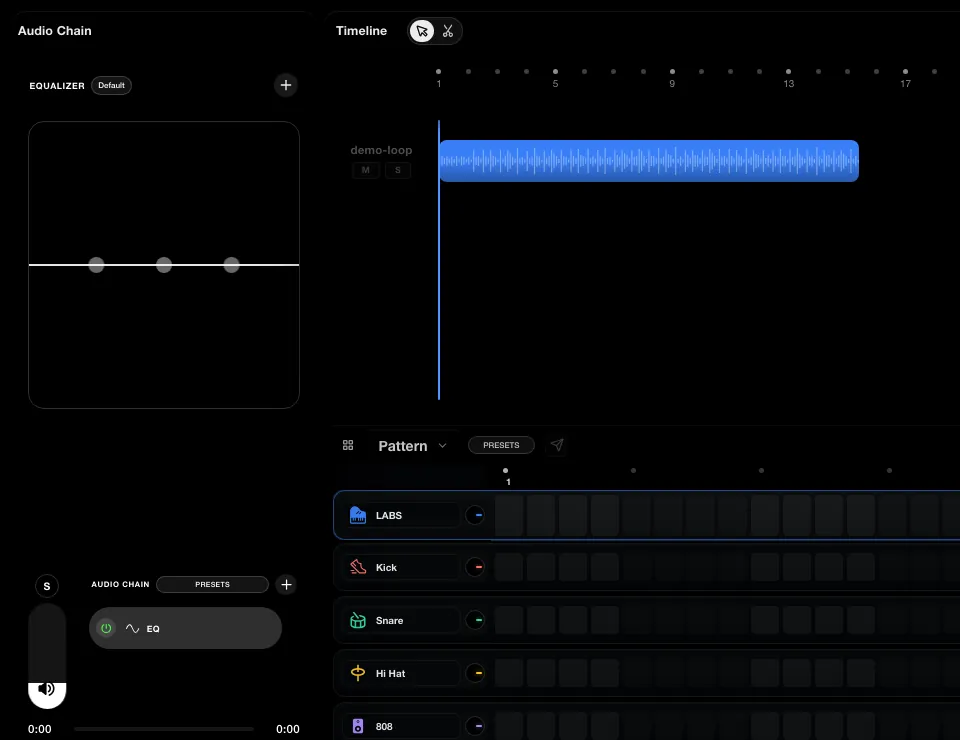
- 01Upload your audio
- 02Arrange and trim on the Timeline
- 03Add effects and export
More than a single clip
Freestyle is a full music studio, so an uploaded file is a clip you can work with. Place it next to a backing track, a vocal recording or other clips on the same timeline.
Questions
Can I edit audio online for free?
Freestyle is free to start in the browser, with nothing to install. Every new account starts with a 14-day Pro trial, and Pro unlocks unlimited projects and the live plugins.
What audio formats work best?
WAV is the most reliable format for editing in the studio. Use WAV when you have it.
Do I need to install an editor?
No. Freestyle runs in any modern browser on Mac, Windows, Chromebook and phones.
Can I export my edit?
Yes. Export the mix as a WAV from the studio when the edit is finished.
Can I undo a mistake?
Yes. Undo and redo are built into the studio, so you can step back through your changes.