FADE IN MUSIC ONLINE
Fade in music online
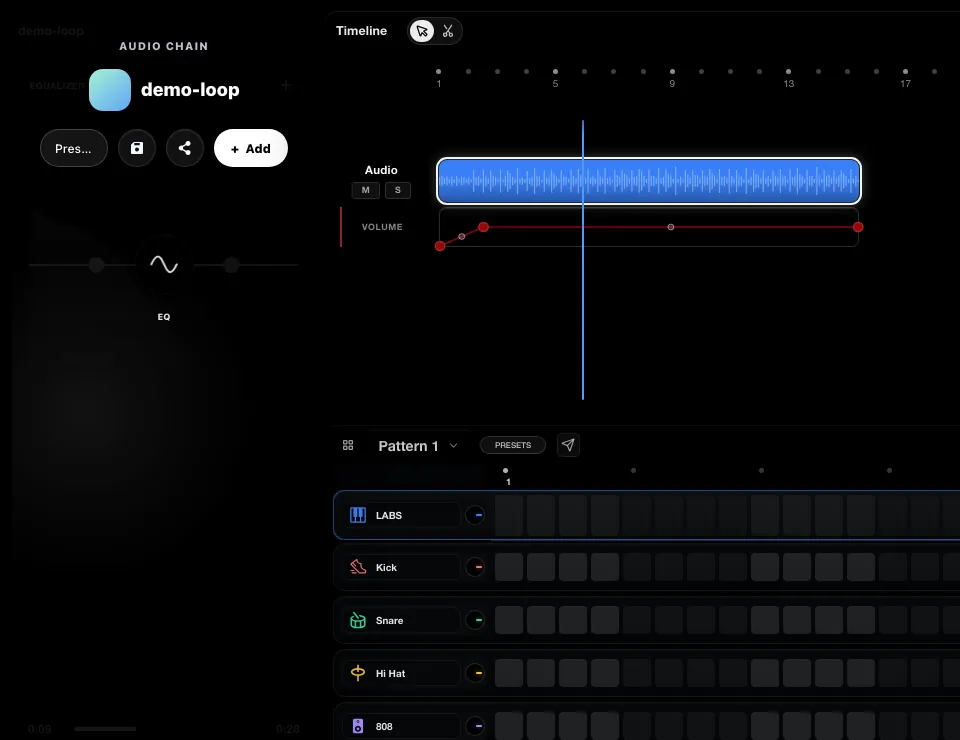
To fade in music, you start the song at silence and raise its volume smoothly over a few seconds. Freestyle does this in your browser with the Fade in template, so you can hear the fade on your song before you export it.
Fade in a songFree to start. Every new account includes a 14-day Pro trial.
- 01Pick your file
- 02The studio opens with it and the effect applied
- 03Adjust and export
What a fade in does
A fade in starts the audio at silence and raises the level over time. It softens the first seconds of a song, so the listener is not hit by the first note.
Questions
How do I fade in a song?
Upload the song and use the Fade in template. The studio opens with a three-second fade up from silence already applied.
What is a fade in?
A fade in is a rise in volume from silence at the start of a clip. It makes the first seconds of audio enter gently.
How long is the fade?
The Fade in template is a smooth three-second fade up from silence.
Can I change the fade?
Yes. The fade sits in the automation lane, so you can edit it after the studio opens.
What is the difference between a fade in and a fade out?
A fade in raises the volume from silence at the start. A fade out lowers it to silence at the end. Freestyle has a separate Fade out template for the end of a song.