FABFILTER PRO-G IN YOUR BROWSER
FabFilter Pro-G online: use it in your browser
FabFilter Pro-G is an effect plugin made by FabFilter. Freestyle opens a new project with FabFilter Pro-G's default GUI image on the effect page and asks you to sign in to your own FabFilter licence, so the plugin loads on your account.
Open FabFilter Pro-GFree to start. Every new account includes a 14-day Pro trial.
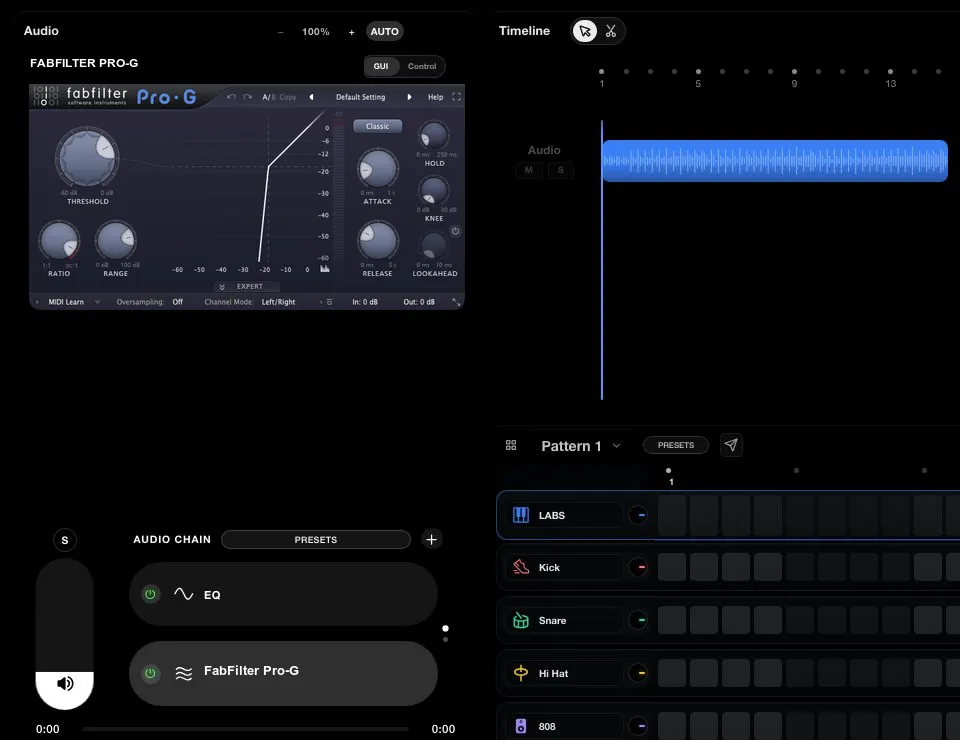
- 01A new project opens
- 02Sign in to your FabFilter licence
- 03Adjust and export
What FabFilter Pro-G is
FabFilter Pro-G is an effect plugin made by FabFilter. Freestyle is not affiliated with FabFilter; it runs FabFilter Pro-G inside your session. A gate closes on quiet sound between phrases to cut noise.
- Made by FabFilter
- Listed under Gate
- Needs your own licence
- Runs on Freestyle's studio server
Questions
What is FabFilter Pro-G?
FabFilter Pro-G is an effect plugin from FabFilter, listed under Gate. Freestyle runs it inside a project in your browser.
Do I need to install FabFilter Pro-G?
No. It runs on Freestyle's studio server inside your project, so there is nothing to install on your computer.
Why does Freestyle ask me to sign in for FabFilter Pro-G?
FabFilter Pro-G needs a licence from FabFilter. The project opens with its default GUI image, then asks you to sign in to your own FabFilter account. Once you are signed in, the plugin loads.
Is Freestyle affiliated with FabFilter?
No. FabFilter makes FabFilter Pro-G, and Freestyle runs it inside your session.
Can I use FabFilter Pro-G on my own audio?
Yes. Add a recording or an uploaded file to the lane that holds FabFilter Pro-G, then adjust the plugin while the project plays and export the mix as WAV.