AUTO-TUNE IN YOUR BROWSER
Auto-Tune online: use it in your browser
Auto-Tune is an effect plugin made by Antares. Freestyle opens a new project with Auto-Tune already on an audio lane and its GUI open on the effect page, so you can use it without installing anything.
Open Auto-Tune in a projectFree to start. Every new account includes a 14-day Pro trial.
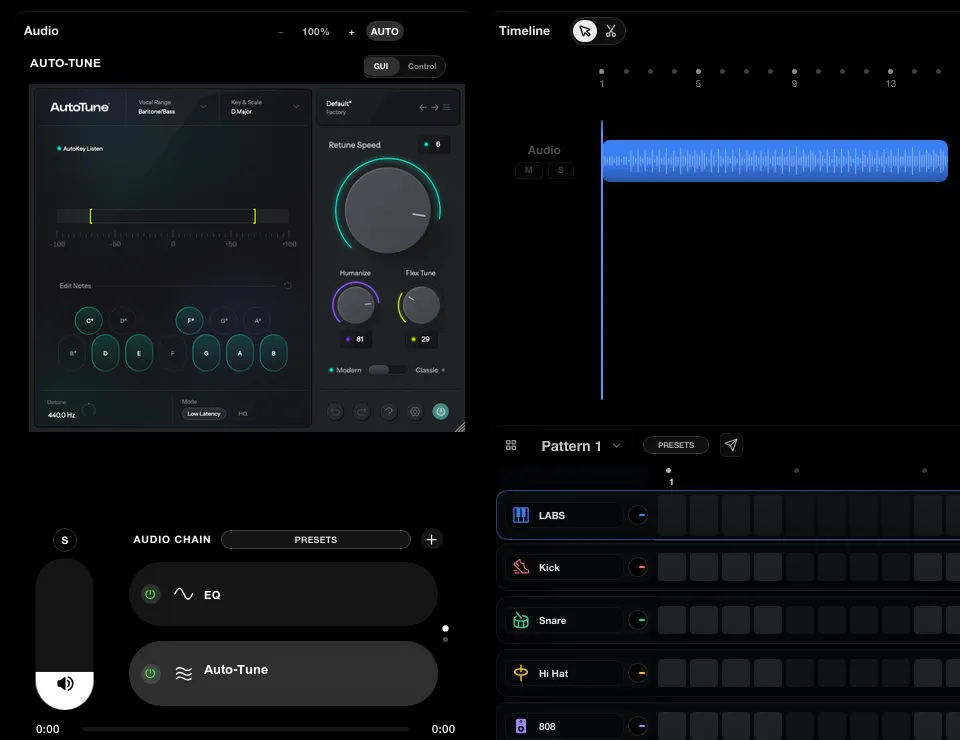
- 01A new project opens
- 02Auto-Tune is already loaded
- 03Adjust and export
What Auto-Tune is
Auto-Tune is an effect plugin made by Antares. Freestyle is not affiliated with Antares; it runs Auto-Tune inside your session. Pitch correction moves sung notes toward a chosen key or scale.
- Made by Antares
- Listed under Pitch Correction
- A commercial plugin
- Runs on Freestyle's studio server
Questions
What is Auto-Tune?
Auto-Tune is an effect plugin from Antares, listed under Pitch Correction. Freestyle runs it inside a project in your browser.
Do I need to install Auto-Tune?
No. It runs on Freestyle's studio server inside your project, so there is nothing to install on your computer.
Is Auto-Tune free in Freestyle?
Auto-Tune is a commercial plugin from Antares, and plugin projects are part of Pro. Every new account starts with a 14-day Pro trial.
Is Freestyle affiliated with Antares?
No. Antares makes Auto-Tune, and Freestyle runs it inside your session.
Can I use Auto-Tune on my own audio?
Yes. Add a recording or an uploaded file to the lane that holds Auto-Tune, then adjust the plugin while the project plays and export the mix as WAV.